compbio-logo

SAAFEC-SEQ: an online application for calculating folding free energy changes in proteins caused by missense mutations

Professor Emil Alexov Group

compbio-logo

We have provided a sample .fasta protein sequence file (2OCJ.fasta) and also a sample mutation-list-file (NOTE: Lines starting with the pound sign '#' are just for user information; delete them from your mutation-list-file before submitting it to SAAFEC-SEQ). You can use these input files to practice with the server. The workflow process is detailed step-by-step below.


1. Submitting a Single Mutation Job

The Single Mutation workflow allows you to submit an individual point mutation for stability change prediction. The configuration elements are split across Figures 1, 2, and 3:

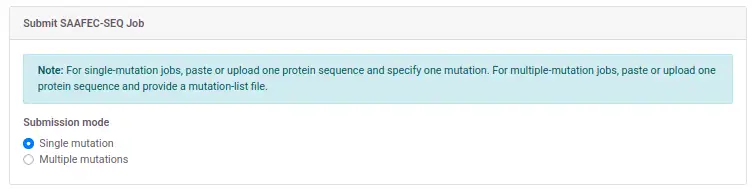
  • Mode Selection: Ensure the "Single mutation" radio button is checked. This displays the single mutation form fields dynamically.
  • Protein Sequence: Provide the wild-type target protein sequence by either pasting a FASTA-formatted sequence into the text area or uploading a raw .fasta file.
  • Mutation Settings: Input the residue position, select the wild-type amino acid, and select your target mutated amino acid from the drop-down selectors. The residue position must map correctly to your input sequence position.
Figure 1: Mode Selection (Single Mutation)

Figure 1: Selecting Single Mutation mode on the submission pane.
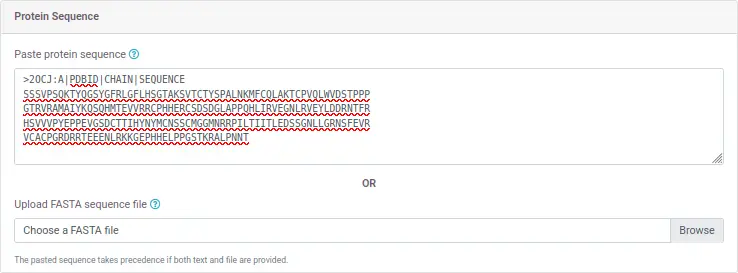
Figure 2: Sequence input selection

Figure 2: Pasting or uploading the protein FASTA sequence context.

Figure 3: Single mutation fields selection

Figure 3: Defining the target mutation properties (Position, Wildtype, and Mutant).


2. Submitting a Multiple Mutations Job

The Multiple Mutations option allows you to submit a batch list of single point mutations to analyze simultaneously:

  • Mode Toggle: Checking "Multiple mutations" alters the form layout to collect your batch configuration file (Figure 4).
  • Mutation List: Upload a plain text .txt file containing your target variants (Figure 5). The formatting rule requires exactly one mutation mapping per line separated by spaces (e.g., A 42 V).
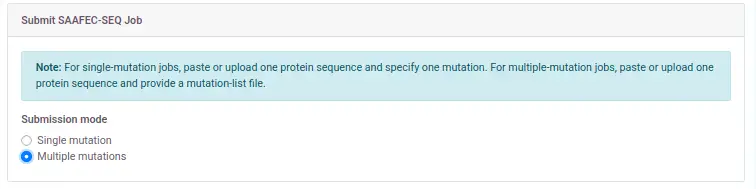
Figure 4: Mode Selection (Multiple Mutations)

Figure 4: Toggling the submission pane to Multiple Mutations mode.

Figure 5: Mutation list file selected

Figure 5: Uploading the compiled batch mutation tracker text file.


3. Job Execution Tracking & Results

Once you press the Submit button, the validation script ensures all prerequisites are fully met before sending data to the server backend. The processing steps track as follows:

  • Job Creation: Upon successful format validation, a unique job ID is generated and a confirmation dashboard is shown (Figure 6).
  • Processing State: The background machine-learning engine begins executing your prediction workflow tasks (Figure 7). Prediction runtime usually takes about 30 minutes depending on queue load.
  • Results Output: Once completed, the final prediction values, stability logs, and data vectors become available for downstream analysis or download (Figure 8).
Figure 6: Successful job creation message

Figure 6: The job creation confirmation page.

Figure 7: Job processing execution state

Figure 7: Monitoring runtime execution updates for your submitted sequence.
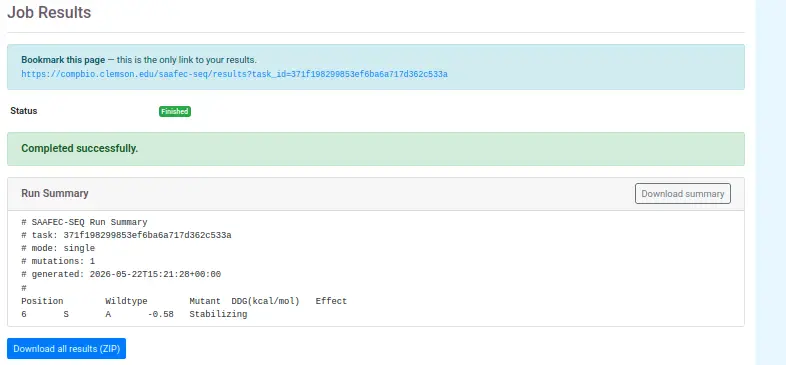
Figure 8: SAAFEC-SEQ prediction report dashboard

Figure 8: Final prediction output reporting stability changes from mutations.

 
Copyright © Computational Biophysics and Bioinformatics - Emil Alexov Group.